
An automation sends the right message after a defined customer event without requiring a manual send.
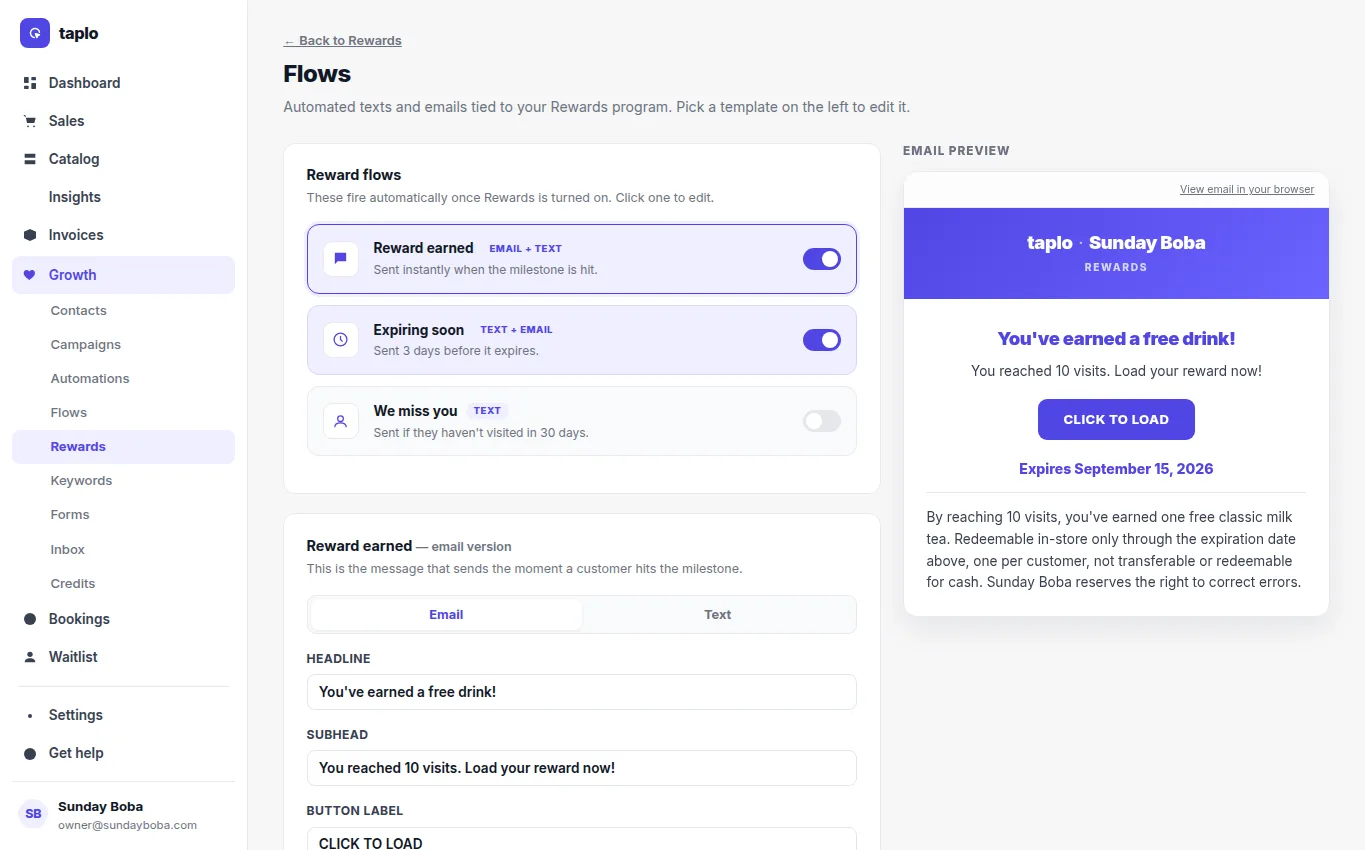
This reward flow shows the same trigger, channel, message, preview, and enable pattern used by automations.
- Choose the event that should start the automation, such as a booking, reward milestone, inactivity, or another supported behavior.
- Select SMS, email, or both.
- Write a concise message with the relevant next action and business identity.
- Add any supported delay or follow-up step and check that repeated entry will not create unwanted duplicate messages.
- Preview and test the sequence with an internal contact.
- Turn it on, then monitor delivery and customer response.
Use automations for repeatable journeys; use a campaign for a one-time announcement. Send marketing only to contacts with the appropriate channel consent, and keep appointment, payment, and service updates factual.