
Choose a reward structure customers can understand at a glance.
Set up earning
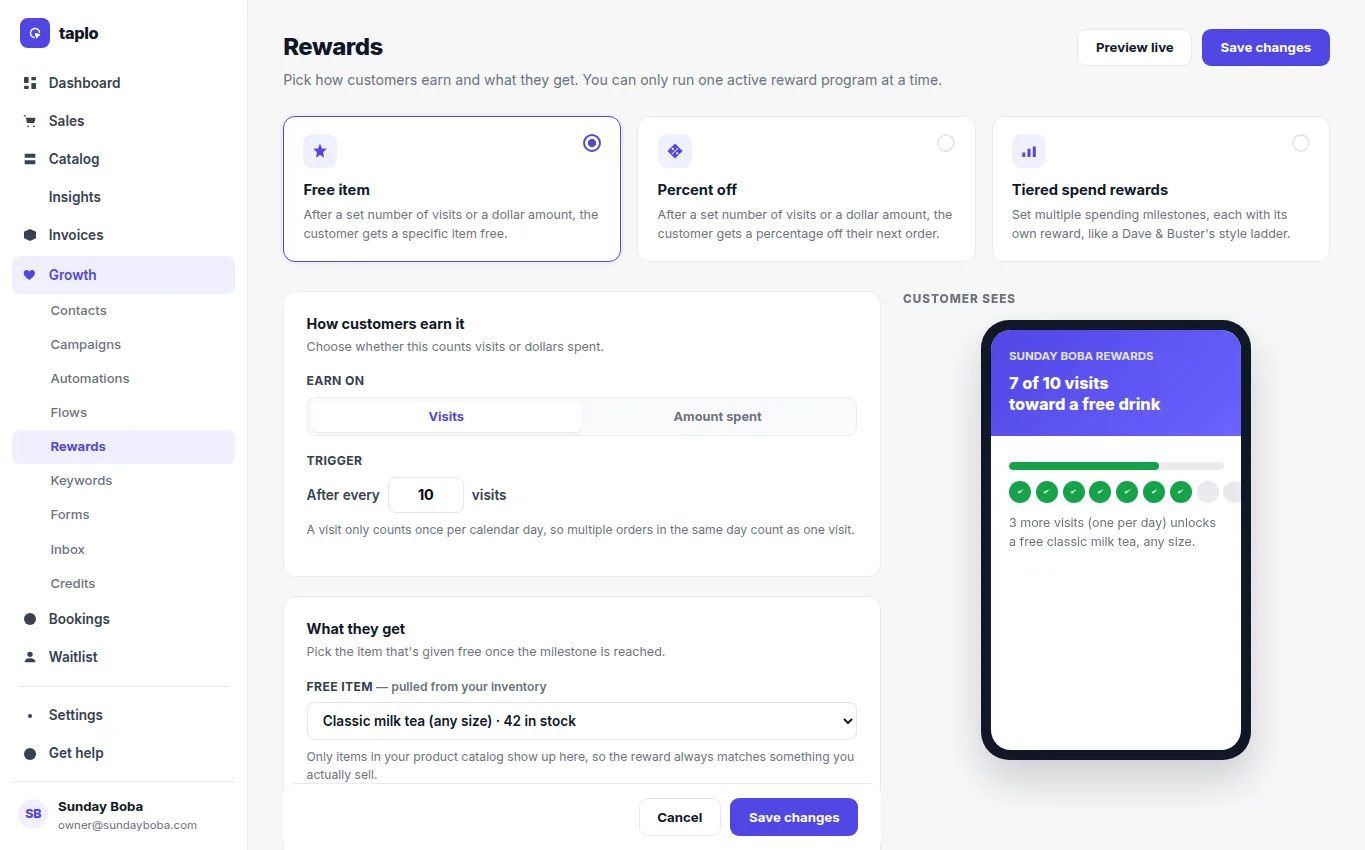
- Choose whether progress is based on visits or amount spent.
- Set a repeatable milestone or a tiered spend ladder.
- Choose the reward: a free item, dollar credit, percent off, or another available benefit.
- For item rewards, select an eligible item and confirm inventory can support redemptions.
- Set expiration behavior and preview exactly what the customer sees.
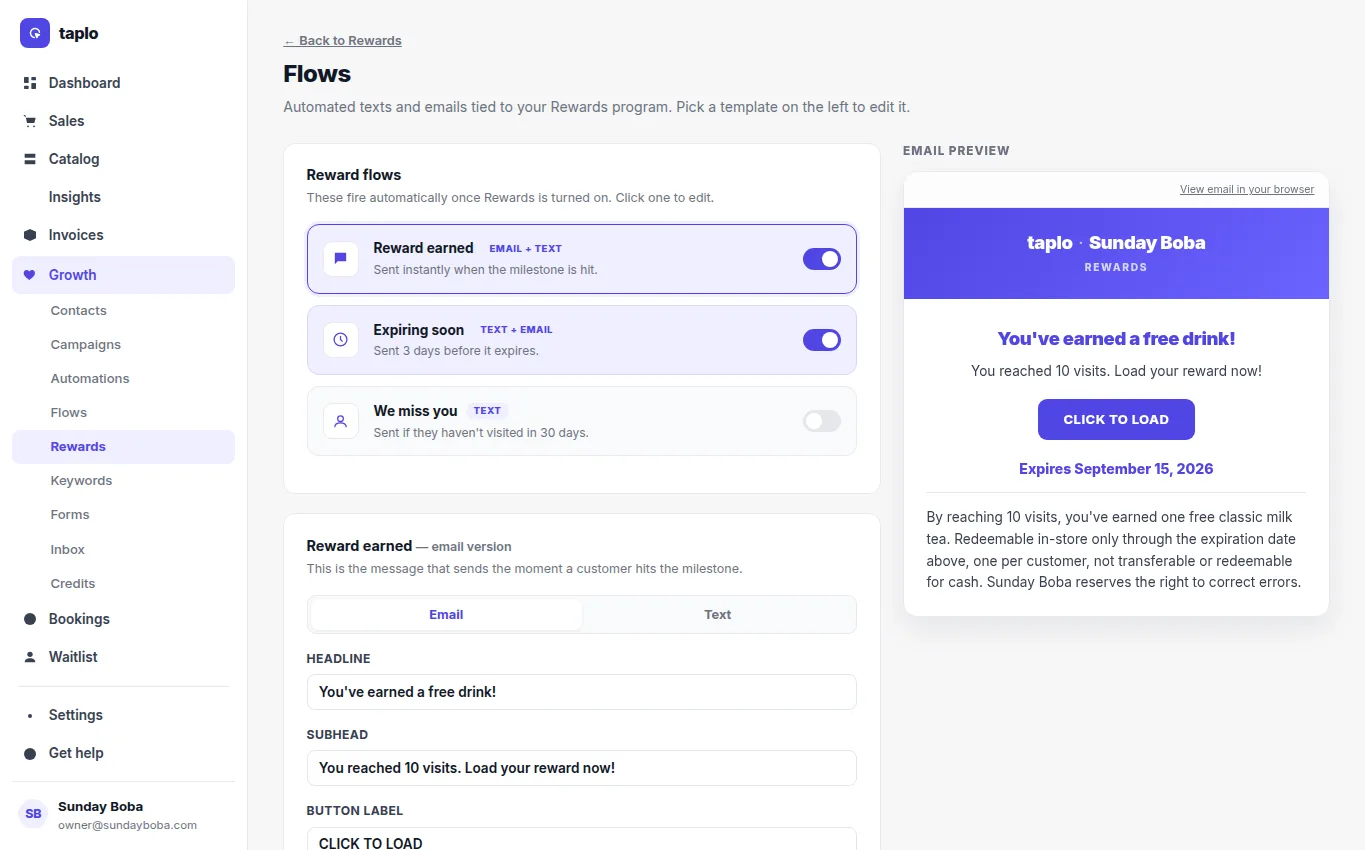
- Turn on the related earned, expiring, or win-back messages if needed.
Earn and redeem
Identify the customer on an eligible purchase so progress reaches the correct account. When a milestone is reached, the reward appears for the customer. At redemption, select the available reward, confirm any item or value limit, and apply it to the eligible order. Complete the order to record redemption and prevent reuse. If progress looks wrong, first check that the purchase was attached to the correct customer.