
Build the estimate on the work order so pricing and stock stay connected to the service record.
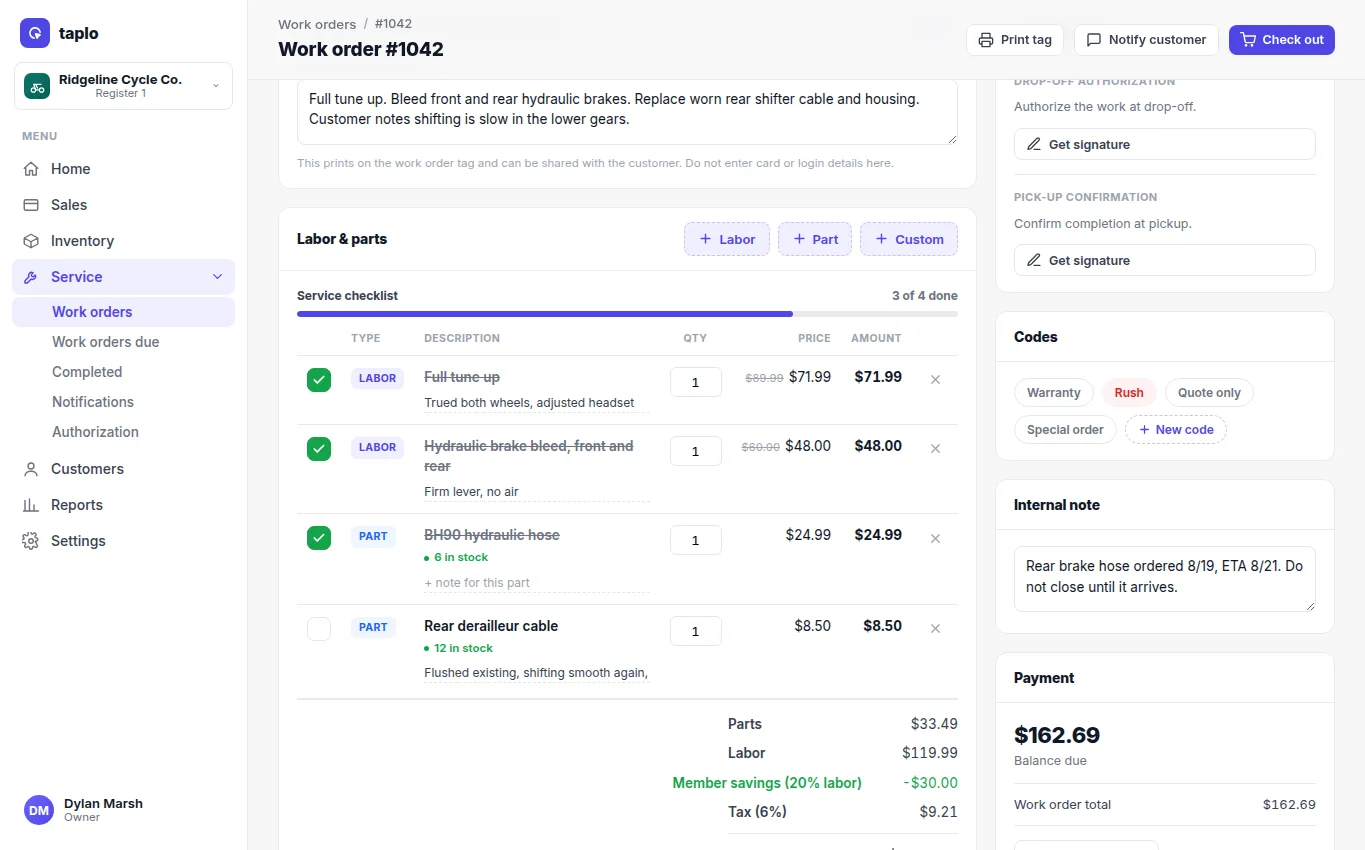
- Add catalog labor, custom labor, parts, and other approved line items.
- For an inventoried part, verify the live stock quantity before promising it to the customer.
- Add quantities and prices, then review discounts, member rates, tax, deposit, and balance.
- Save the estimate and compare it with the customer's authorized limit.
- If a needed part is unavailable, change the work order to Waiting on parts and record what is outstanding.
- When parts arrive, update the line items and move the job forward.
Avoid replacing an original estimate without a record of the change. If the new total exceeds authorization, pause the affected work and request approval.