
Create an invoice when a customer needs a documented balance and a secure way to pay.
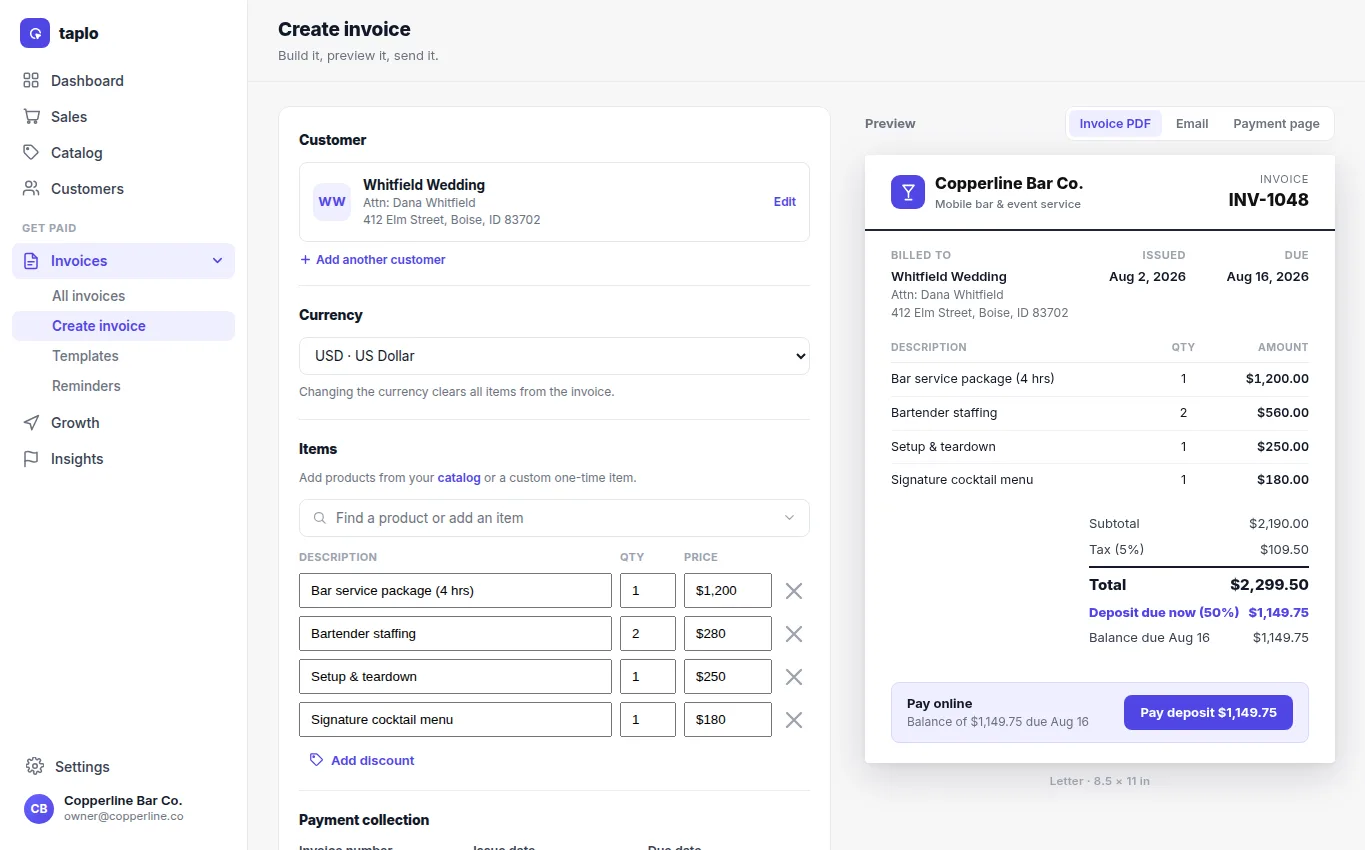
- Select the customer and confirm the billing contact details.
- Add products or custom line items with the correct quantities and prices.
- Apply supported discounts, tax, deposit, due date, notes, and payment terms.
- Choose the invoice presentation and preview the document and customer payment page.
- If a signature is required, add the agreement or signature request before sending.
- Save as a draft for review, or send by an available customer channel.
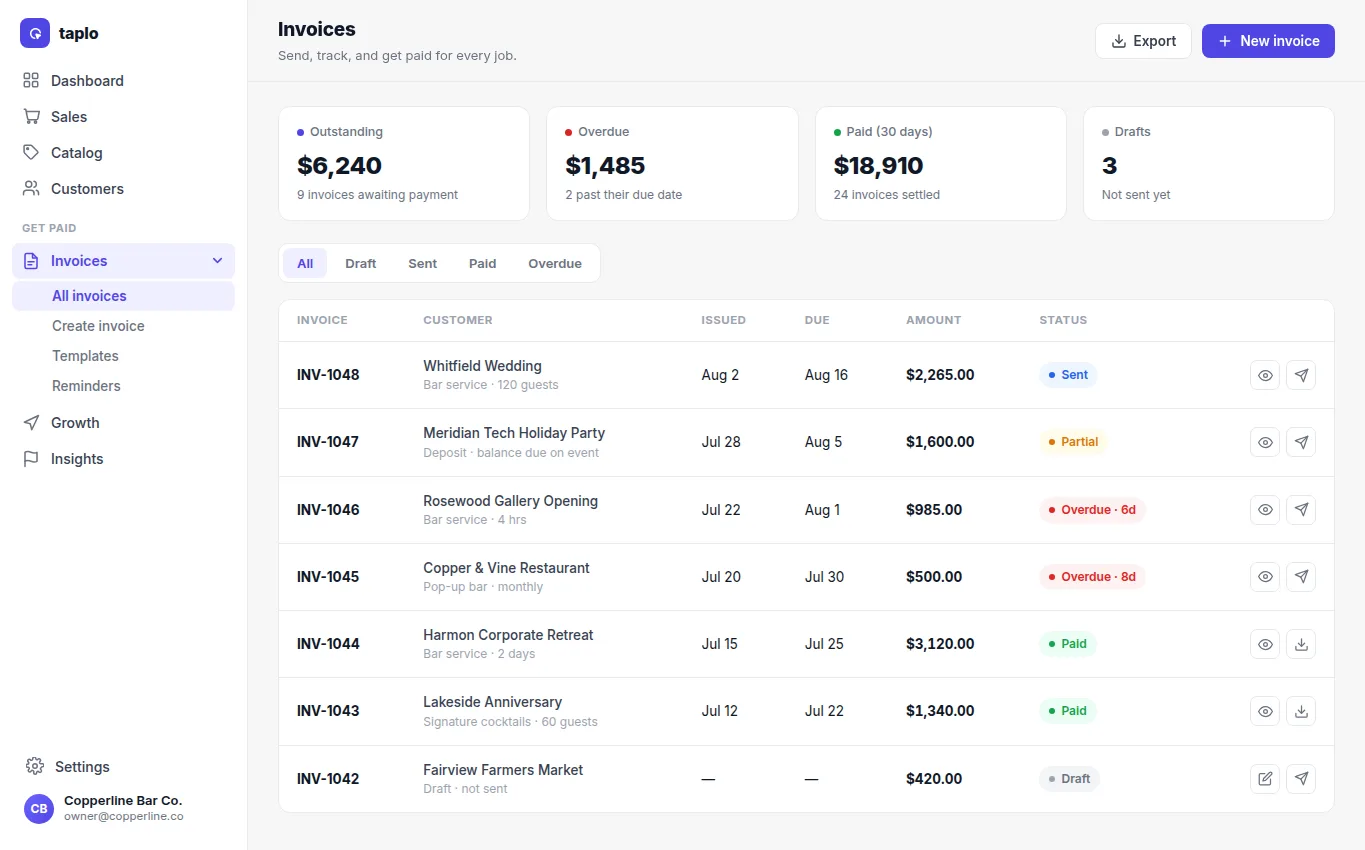
Track the invoice by status: Draft has not been sent; Sent is awaiting payment; Partial has a remaining balance; Paid is settled; Overdue is past its due date. Open the invoice to resend it, record an approved manual payment, or review its history. Verify the current balance before following up so customers are not asked to pay twice.