
Customers can enroll from your shared link, embedded flow, or an assisted device at your business.
Enrollment
- Select a membership tier.
- Enter the member's contact details and any permitted household members.
- Add required identification or supporting information.
- Enter payment details and apply a valid promotion if appropriate.
- Review the plan, billing amount, agreement, and consent.
- Collect the signature and submit enrollment.
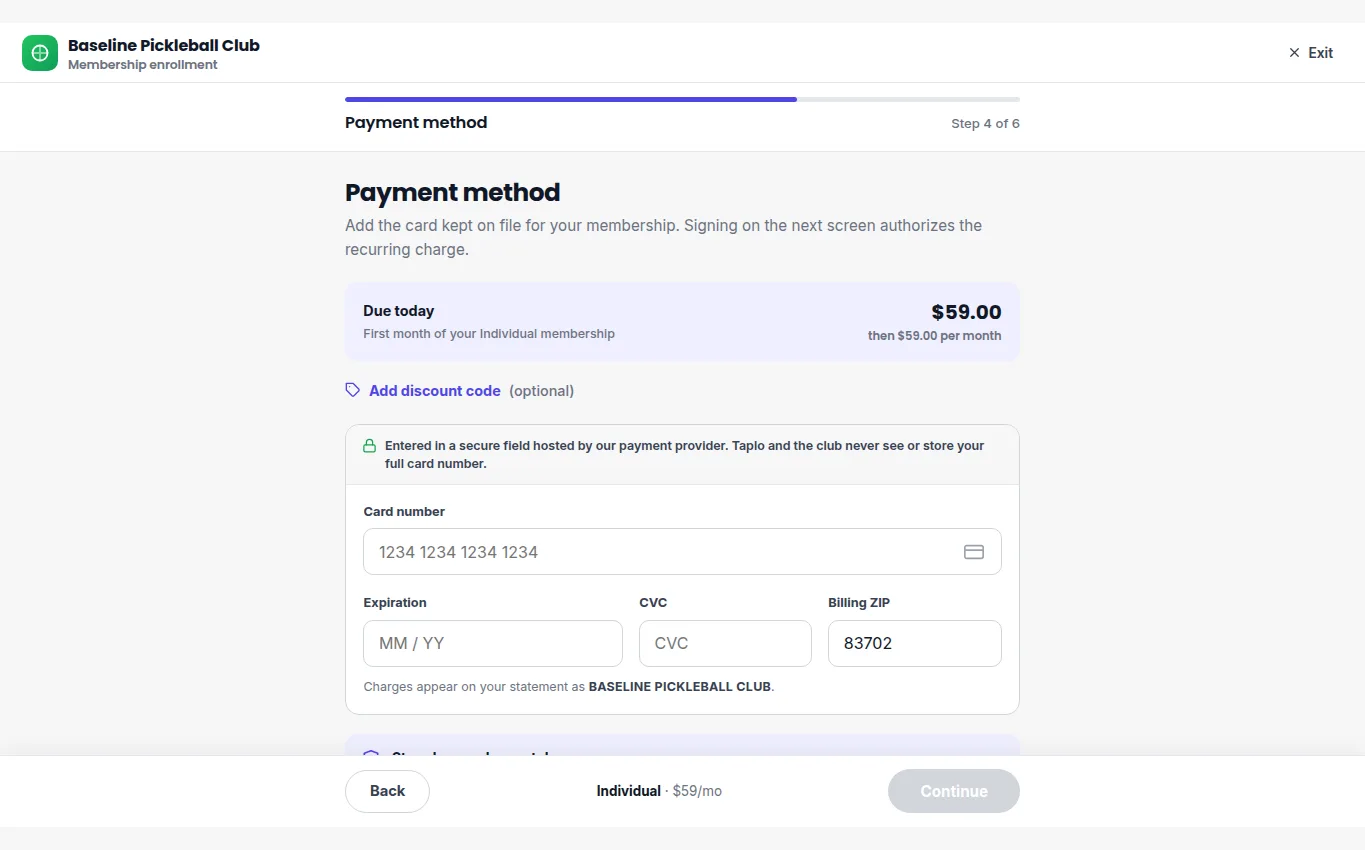
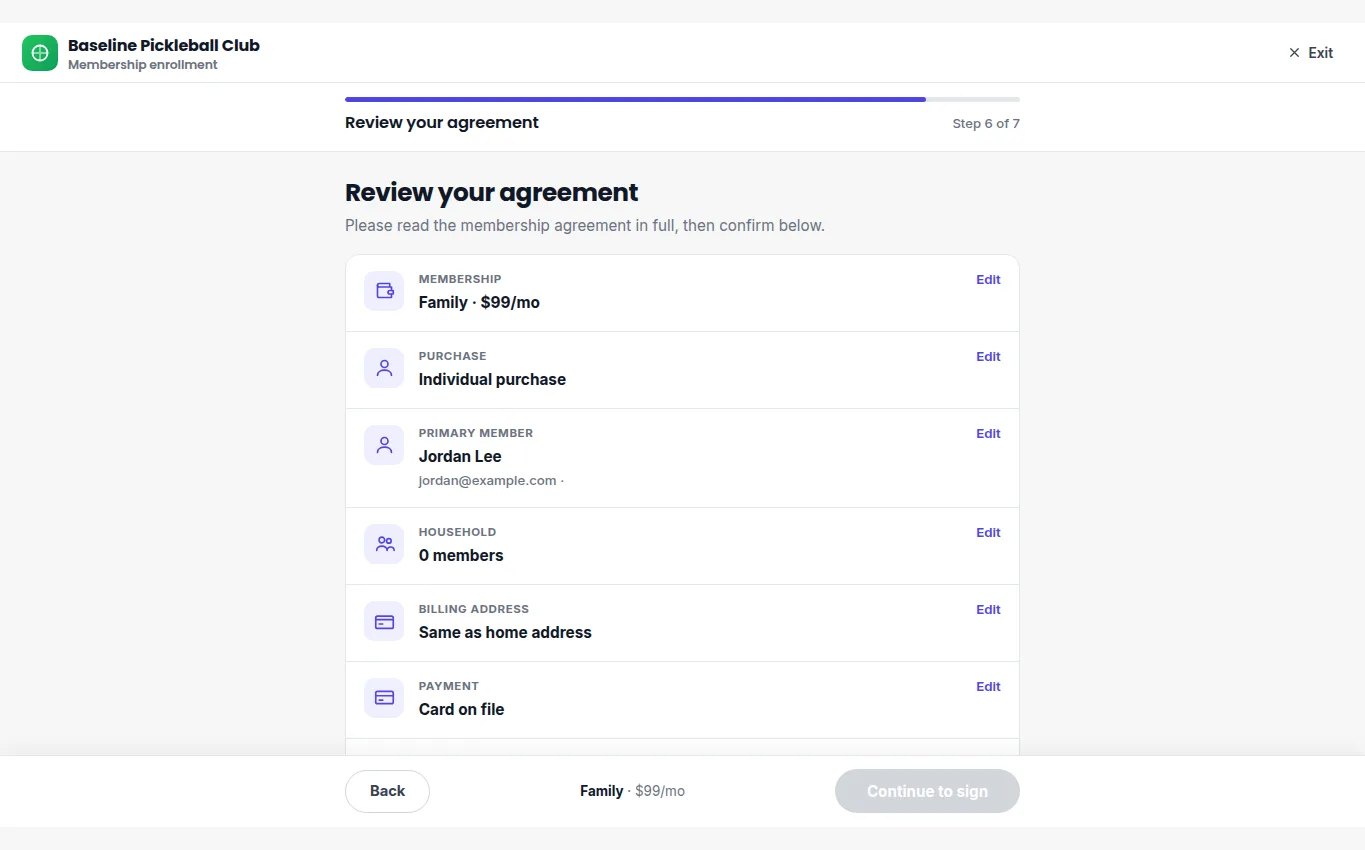
Review the tier, member, household, billing, and payment summary before signing.
The confirmation identifies the active plan and gives the member access to their membership details.
Member portal
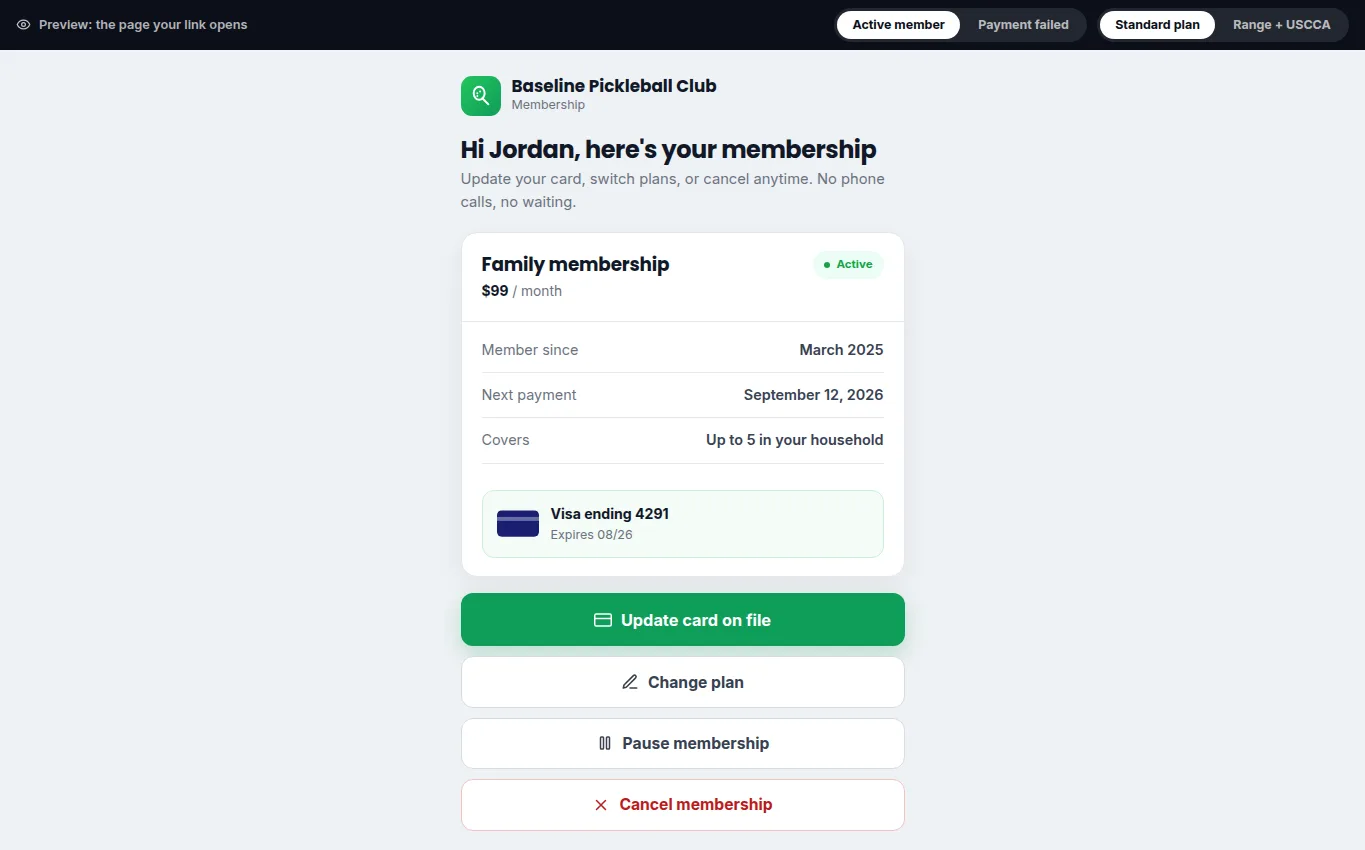
Members use the portal to review their plan, benefits, membership identification, and billing information. Direct a member there when they need to confirm coverage or update an expired payment method. Staff should open the customer record to verify status before applying member pricing.
If information is incorrect, update the member record rather than creating a duplicate enrollment.